
Event Max-Min Quantity Limiting
Limit the amount of tickets sold with maximum and minimum purchase quantities.
Overview
Max-Min Quantity Limiting lets you control how many tickets a customer can buy. Set a minimum and a maximum quantity, either for each ticket type or for the whole event. The limits are set separately for every event.
Requirements
- Event Booking Manager for WooCommerce (WpEvently)
- WooCommerce
If either plugin is inactive, the add-on shows an admin notice and does not load.
Installation
- Download the add-on zip from your account.
- Go to Plugins → Add New → Upload Plugin.
- Upload the zip and click Install Now.
- Click Activate.
Set the limits for an event
- Open the event and go to the Ticket & Pricing settings.
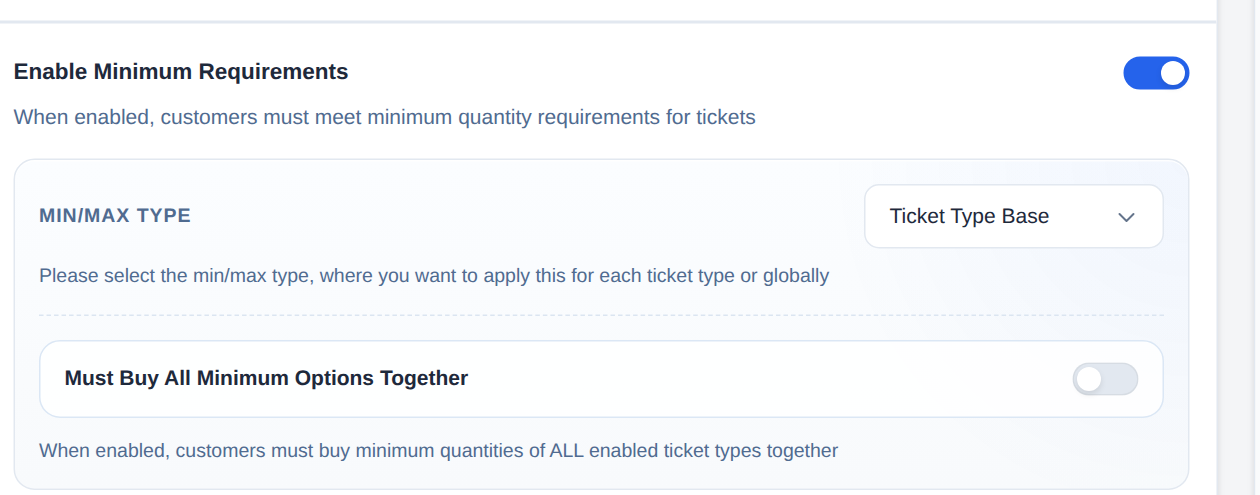
- Switch on Enable Minimum Requirements.
- Choose the Min/Max Type: Ticket Type Base or Full Event Base.
- Enter the limits (see below) and click Update.
Ticket Type Base
Set a separate minimum and maximum for each ticket type. For example, “Adult” tickets: at least 2, at most 4.
Enter the numbers in the Min Qty and Max Qty columns of the ticket type table.
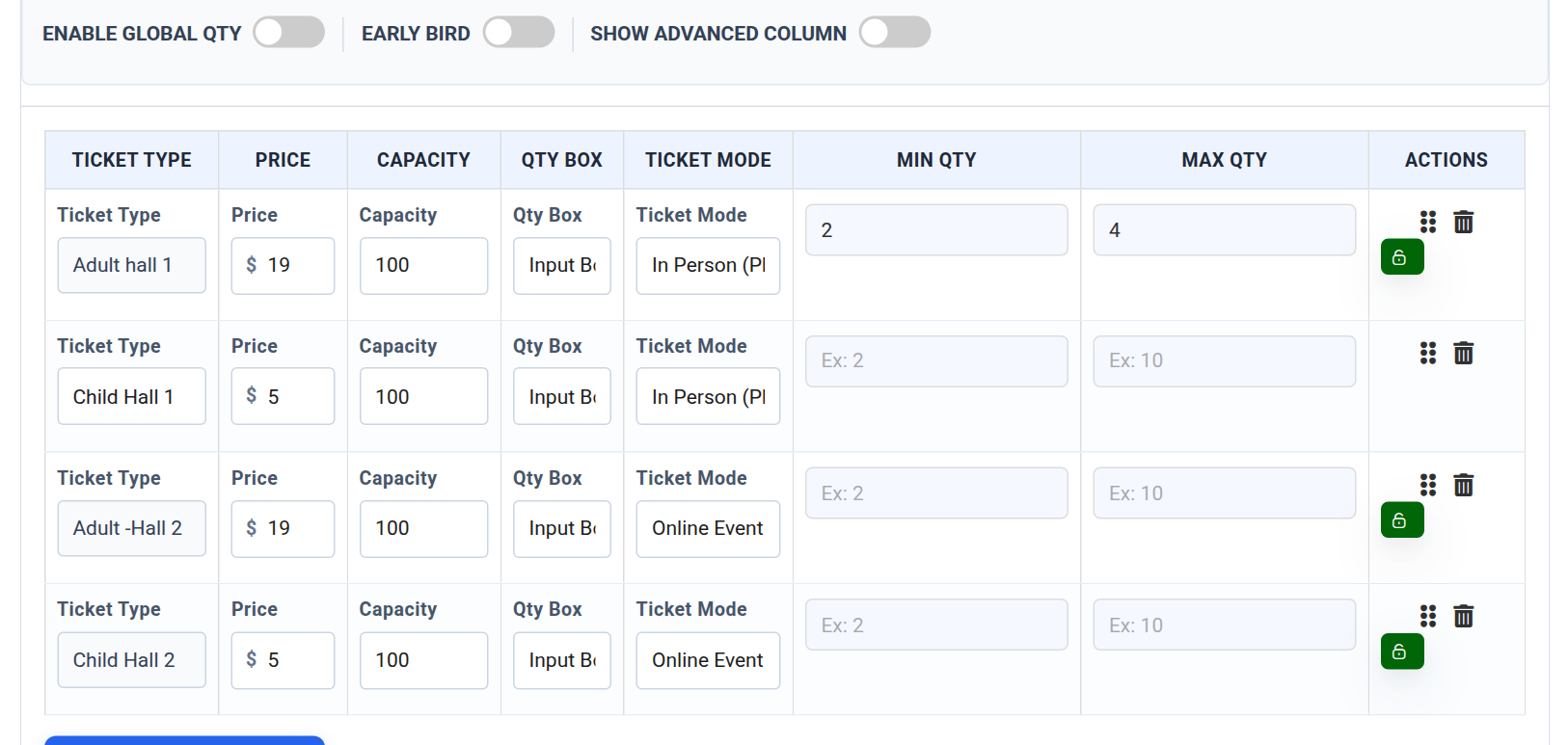
- Leave Min Qty empty for no minimum.
- Leave Max Qty empty to allow up to the available quantity of that ticket type.
- Must Buy All Minimum Options Together: when switched on, customers must buy the minimum quantity of all enabled ticket types together.
Note: the Min Qty and Max Qty columns are in the full ticket table. If you do not see them in the new Modern editor, open the event with the classic editor: Events → Events Settings → General Settings → Edit Screen → Classic Mode.
Full Event Base
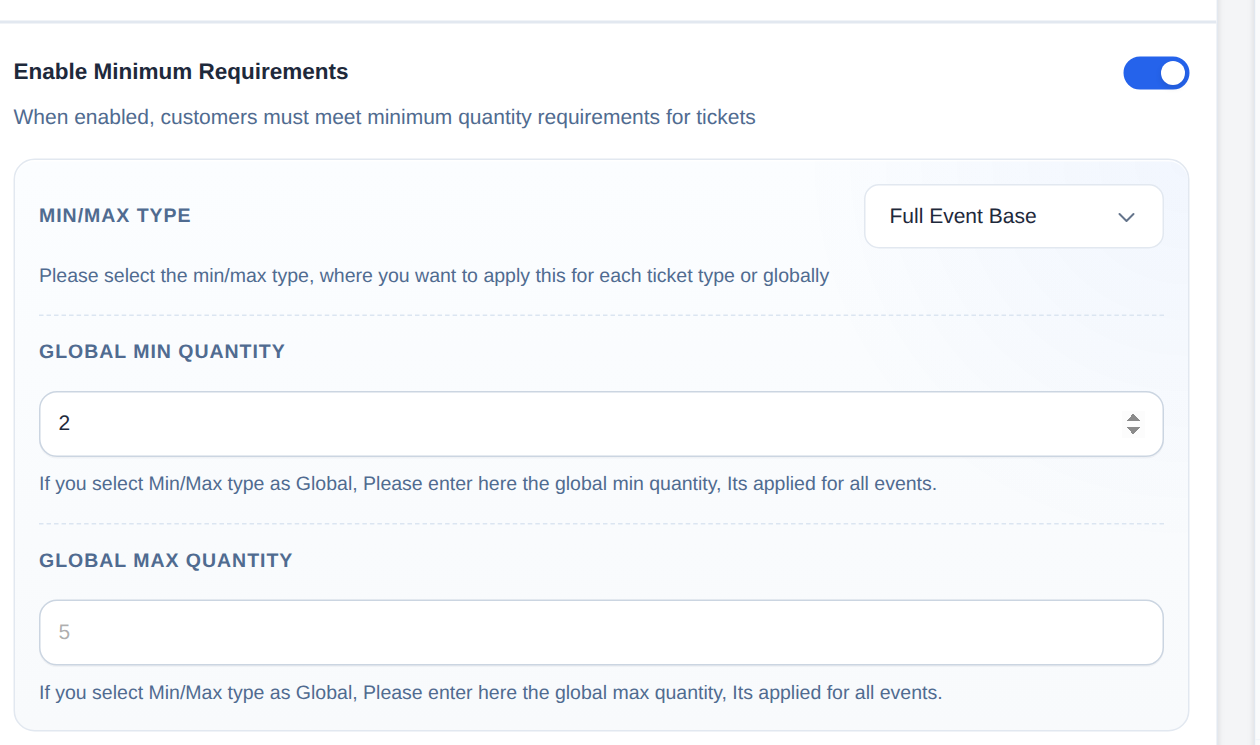
Set one minimum and one maximum for the total number of tickets bought for the event, whatever the ticket types.
| Field | What it does |
|---|---|
| Global Min Quantity | The fewest tickets a customer must buy in total. |
| Global Max Quantity | The most tickets a customer can buy in total. |
What customers see
- The quantity selector on the event page follows the limits. It does not go above the maximum.
- If a customer is logged in, tickets they already bought for the same event count toward the limit.
- When the quantities do not meet the limits, WooCommerce shows an error notice at add to cart and at checkout. With Full Event Base the notice reads, for example: Sorry, You Can not Purchase More Then 5 and less than 2 for Event name Tickets… and the customer must change the quantities to continue.
Turn limits off
Switch off Enable Minimum Requirements on the event and update it. The event goes back to no quantity limits.
Purchase
This addon is available for purchase from the MagePeople website.