
Group Ticket Qty
Enable customers to purchase multiple tickets in groups with pooled quantity management.
Overview
Group Ticket Qty lets you sell a ticket that admits a group, for example a table for 4 or a family pass for 5. Customers buy one group ticket. The price and the seats it uses are worked out from the group size you set.
Video Tutorial
Watch how to turn a ticket type into a group ticket and how it looks on the event page.
Requirements
- Event Booking Manager for WooCommerce (WpEvently)
- WooCommerce
Installation
- Download the add-on zip from your account.
- Go to Plugins → Add New → Upload Plugin.
- Upload the zip and click Install Now.
- Click Activate.
Set up group tickets
- Open the event and go to the Ticket & Pricing settings.
- Switch on Enable Group Qty. A Group Qty column is added to the ticket type table.
- In the Group Qty column, enter the number of people in one group for each ticket type. Leave it empty for a normal single-person ticket.
- Click Update.

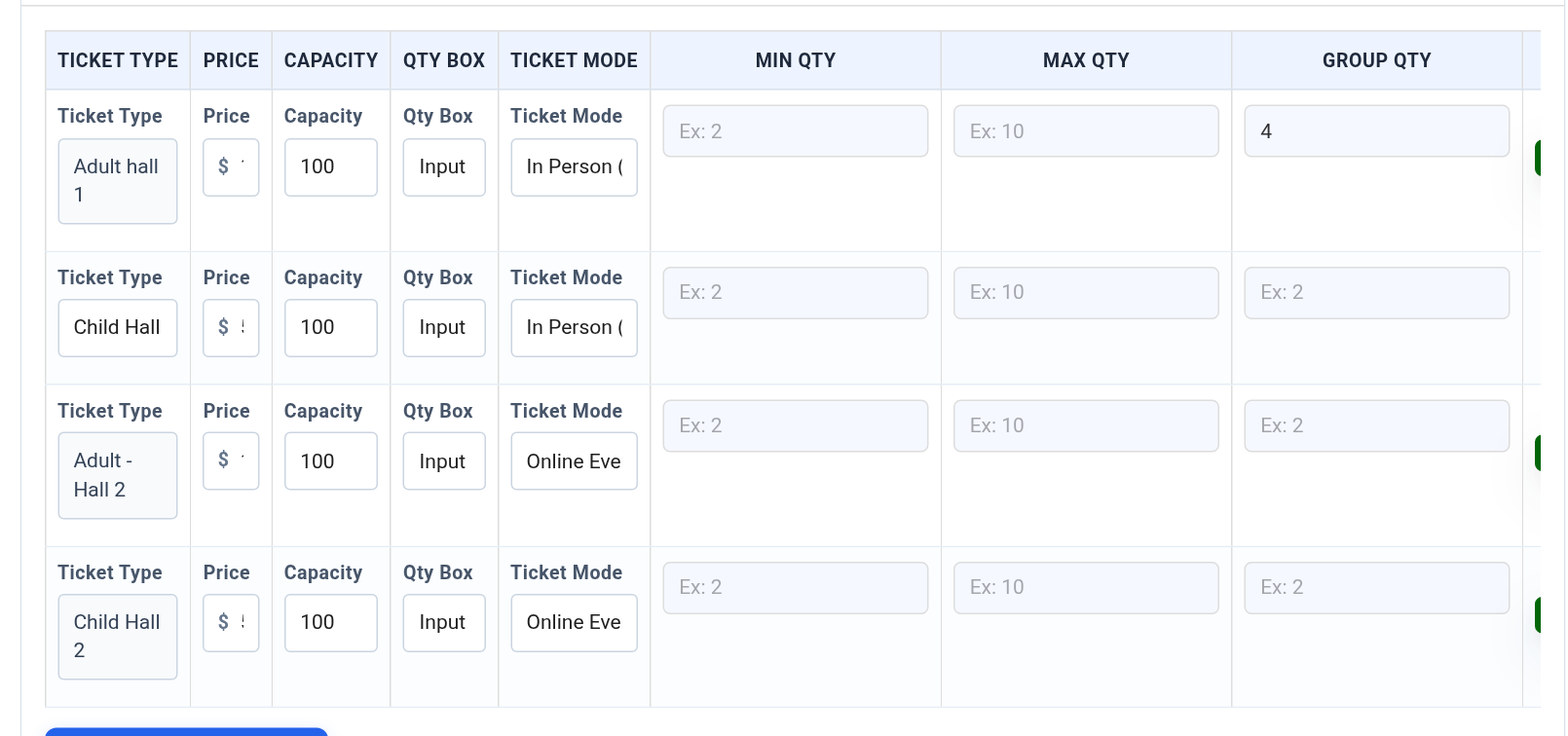
Note: the Enable Group Qty switch and the Group Qty column are in the full ticket table. If you do not see them in the new Modern editor, open the event with the classic editor: Events → Events Settings → General Settings → Edit Screen → Classic Mode.
How group tickets work
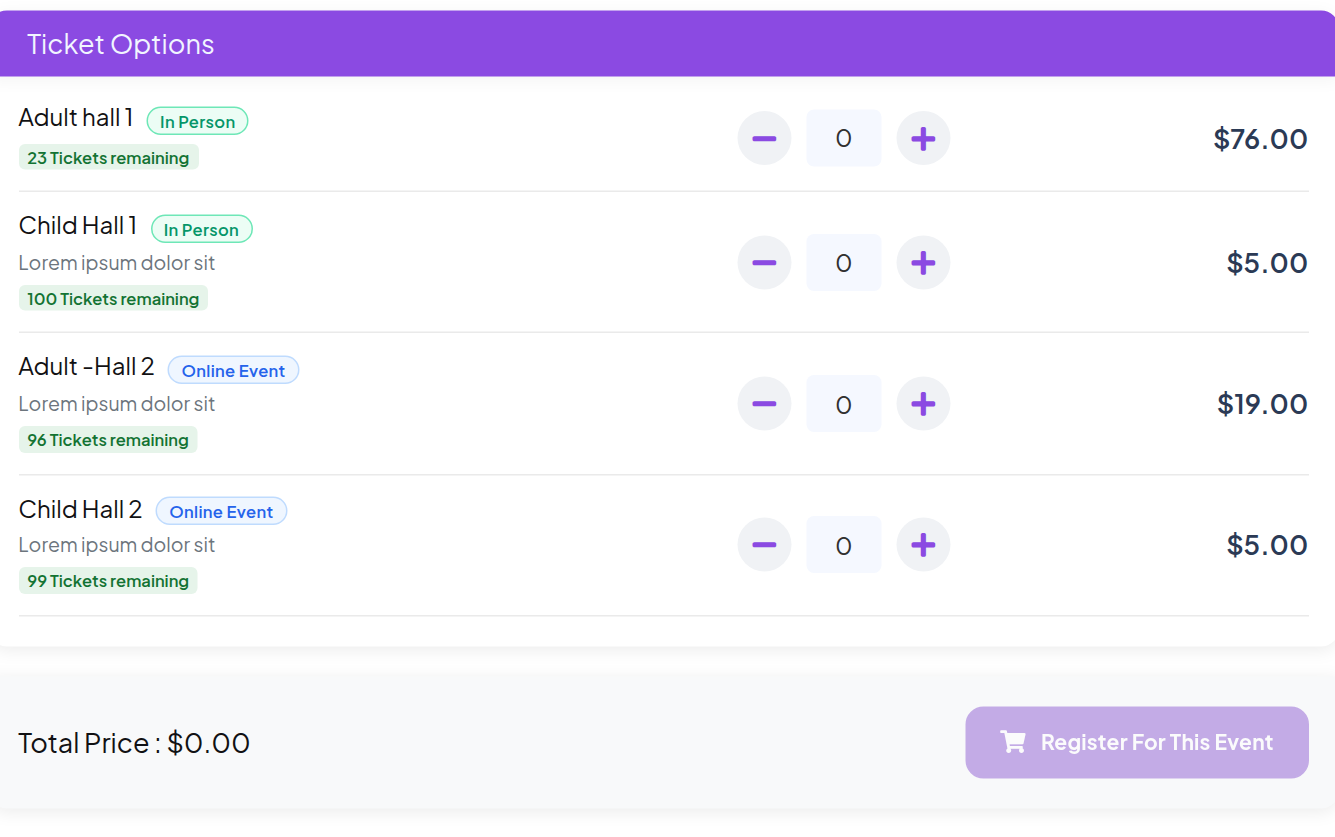
- Enter the price for one person. The event page shows the group price: the ticket price multiplied by the Group Qty.
- Each group ticket sold uses as many seats as the Group Qty. A ticket with Group Qty 4 uses 4 seats.
- The Tickets remaining number is the remaining seats divided by the Group Qty.
Example: the ticket price is $19 and Group Qty is 4. The event page shows $76.00, and with 95 seats left it shows 23 Tickets remaining.
Attendee information
The Enable Group Qty same Attendee switch appears when Same Attendee for All Tickets is set to No in Events → Events Settings → General Settings.
- On (default): customers fill in one attendee form for each group ticket.
- Off: customers fill in one attendee form for every person in the group, so a group of 4 needs 4 forms.
Turn group tickets off
Switch off Enable Group Qty on the event and update it. Ticket prices and quantities go back to single-person tickets. The Group Qty values you entered are kept.
Purchase
This addon is available for purchase from the MagePeople website.