You have three option to install WooCommerce Tour & Travel Booking Manager plugin.
Automatic Install via WordPress (Recommended)
- Go to your admin page and go to Plugins > Add New
- Search for ‘Travel Booking Manager’
- Find Travel Booking Manager by mage people team and click install
- Activate it from the installation page or your Plugins page.

Adding via Zip file
- Download the plugin zip file from the WordPress directory.
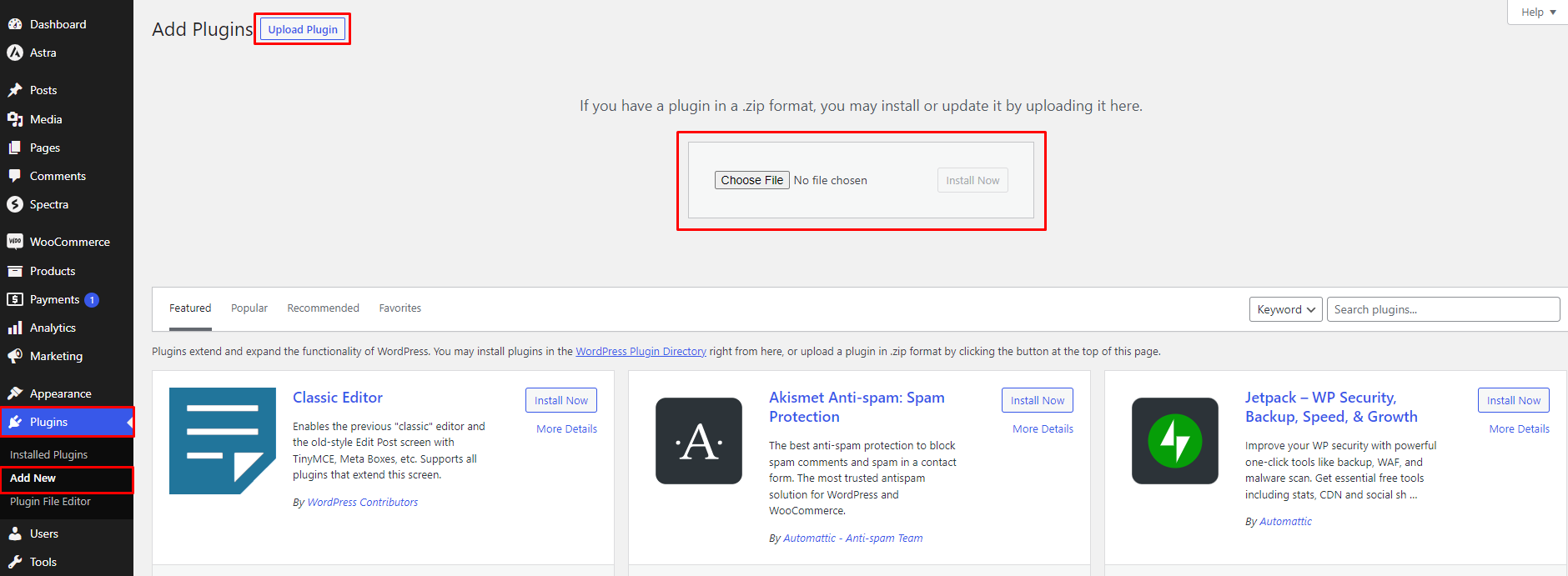
- Go to Plugins -> Add New.
- Click on the Upload Plugin button.
- Choose the plugin zip file and click on Install Now button.
- Activate the plugin from the installation page or your Plugins page.
Uploading via FTP
- Download the plugin zip file from the WordPress directory.
- Connect to your blog via FTP
- Extract the zip file you downloaded, and upload the tour-booking-manager folder to your wp-content/plugins folder
- Visit your Plugins page in the admin area.
- Activate the plugin