Coupons & Terms
Coupon Overview
The Coupons screen provides a centralized dashboard to set up and track discount rules, code restrictions, and savings metrics across your fleet.
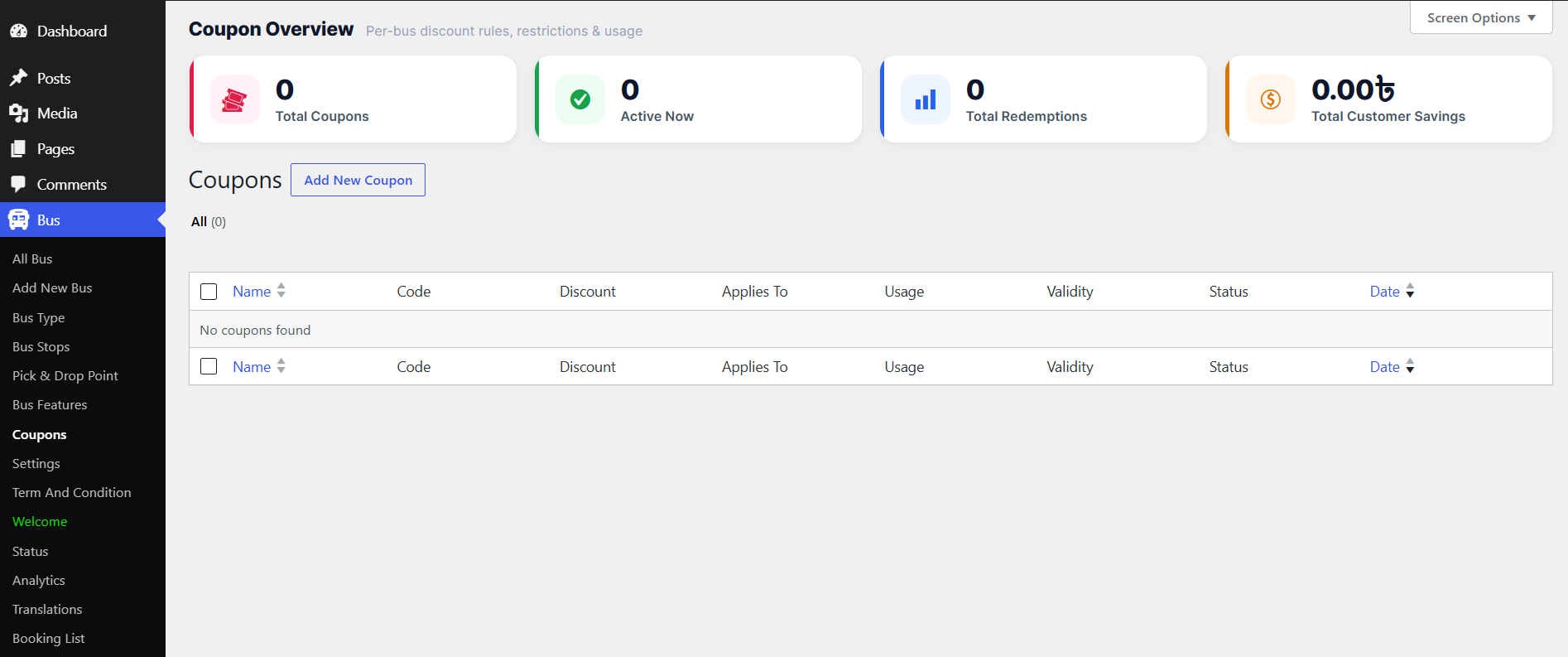
At the top of the dashboard, summary cards provide real-time metrics on promotional performance:
- Total Coupons — overall number of discount codes created
- Active Now — how many promotional codes are currently live and valid
- Total Redemptions — how many times coupons have been successfully applied by customers
- Total Customer Savings — cumulative financial amount saved by passengers using promotional discounts
Click Add New Coupon to instantly create a new discount rule.
Coupon Rules
General & Discount
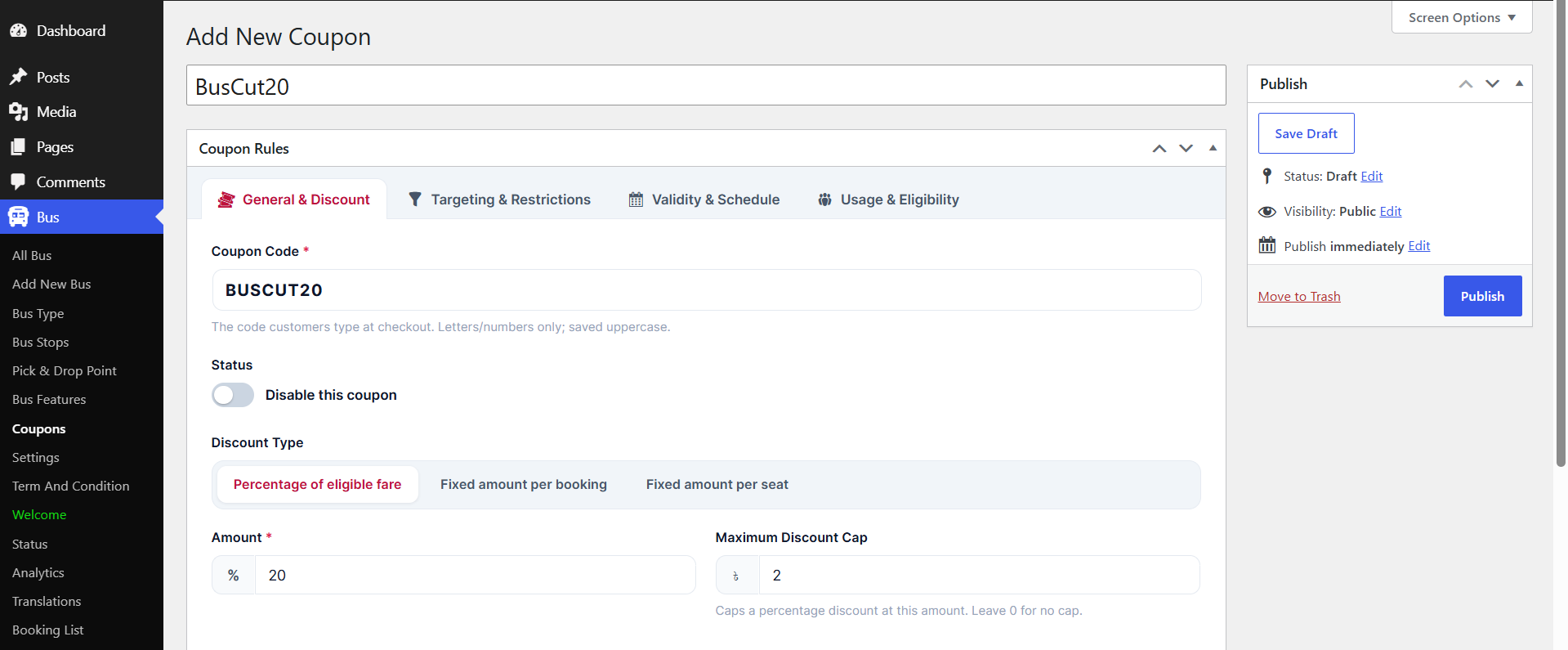
- Coupon Code — the text code customers enter at checkout (e.g. BUSCUT20); automatically converts to uppercase
- Status — a toggle to disable the coupon instantly
- Discount Type — Percentage of eligible fare, Fixed amount per booking, or Fixed amount per seat
- Amount — the discount value based on the chosen type
- Maximum Discount Cap — limits the maximum monetary savings for percentage-based discounts
Targeting & Restrictions
Controls precisely where, when, and under what conditions a discount code can be applied.
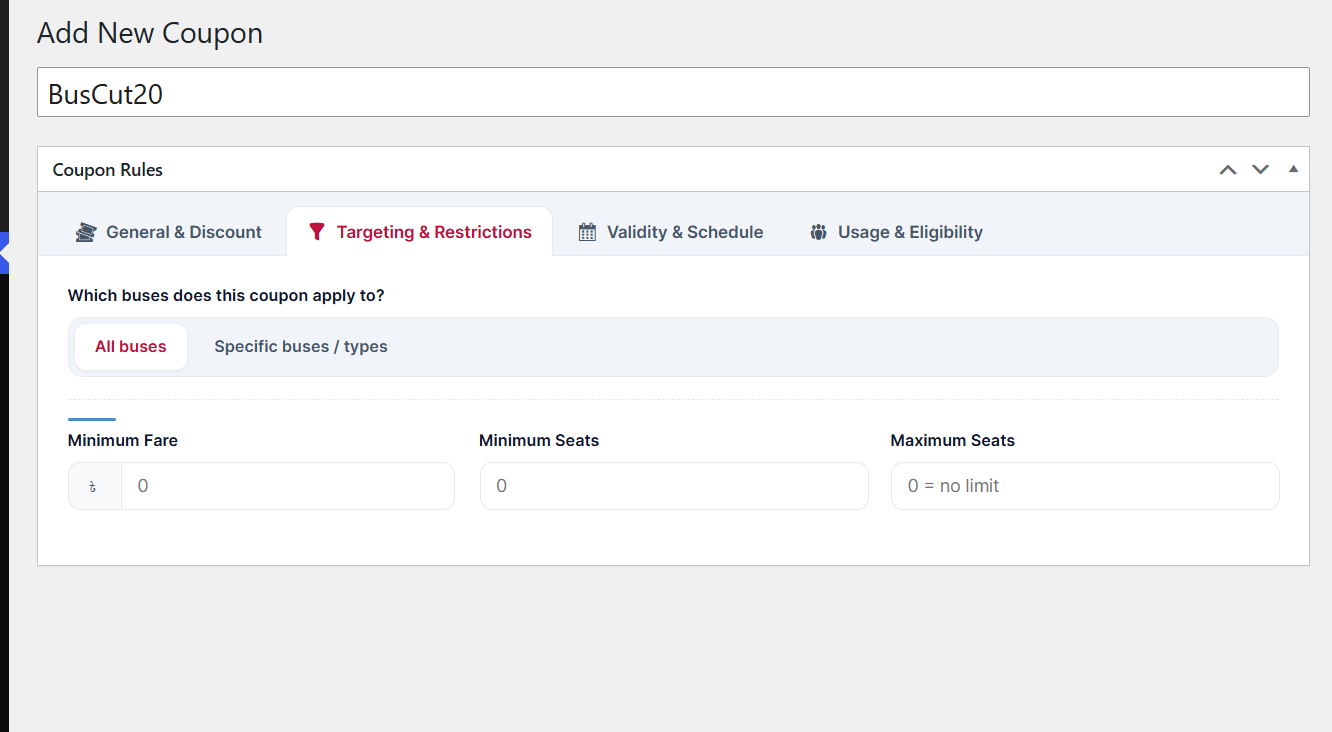
Fleet & Vehicle Targeting
- Which buses does this coupon apply to? — All buses, or Specific buses / types
Booking Thresholds & Limits
- Minimum Fare — minimum cart or ticket total required for the coupon to become valid (0 = no minimum)
- Minimum Seats — lowest number of seats that must be booked in a single transaction (0 = no minimum)
- Maximum Seats — caps the maximum number of seats allowed in a booking for the discount to apply (0 = no limit)
Validity & Schedule
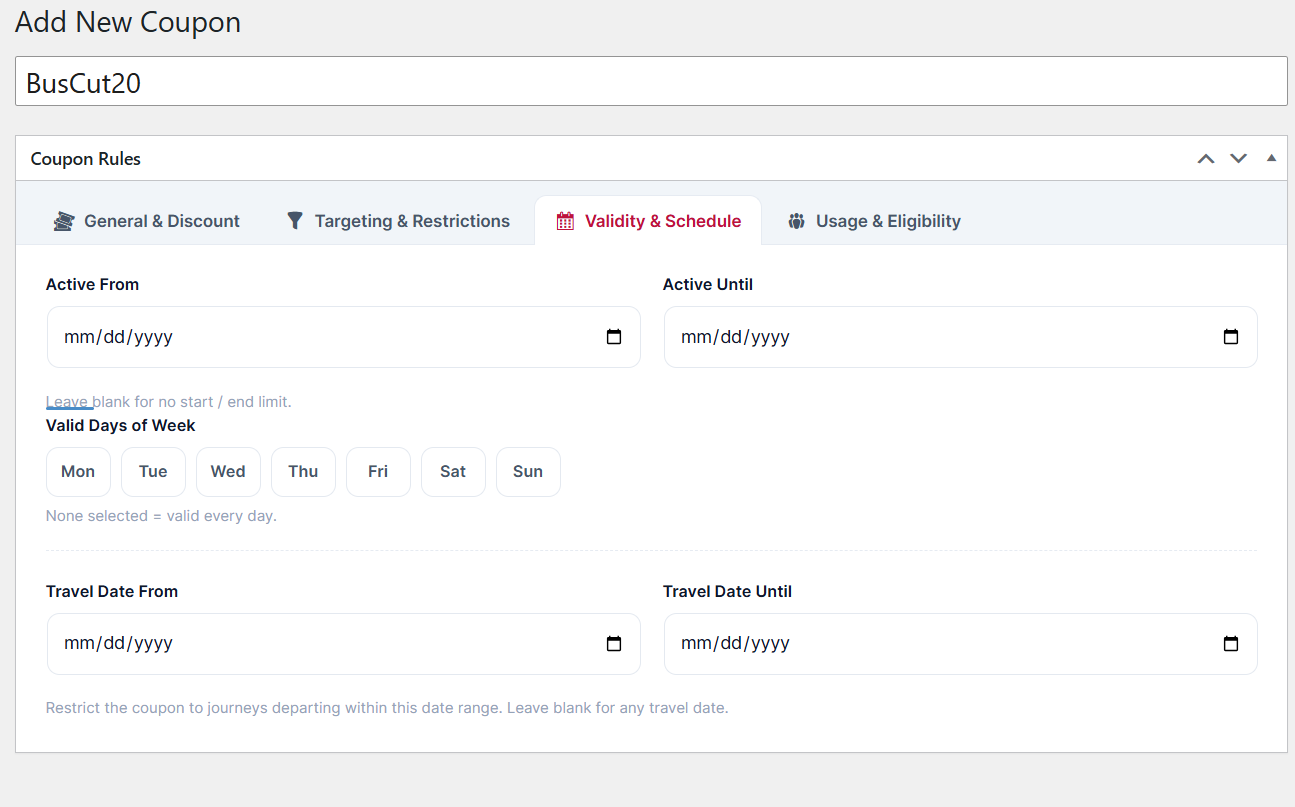
Defines precise date windows and recurring days for when a promotional coupon can be applied.
Date Range & Scheduling
- Active From / Active Until — activation and expiration date window (mm/dd/yyyy); can be left blank for no start or end limit
- Valid Days of Week — restrict the coupon to specific days (Mon–Sun); if none are selected, it's valid every day
Journey Travel Restrictions
- Travel Date From / Travel Date Until — restrict the discount to journeys departing within a targeted travel date range, or leave blank for any date
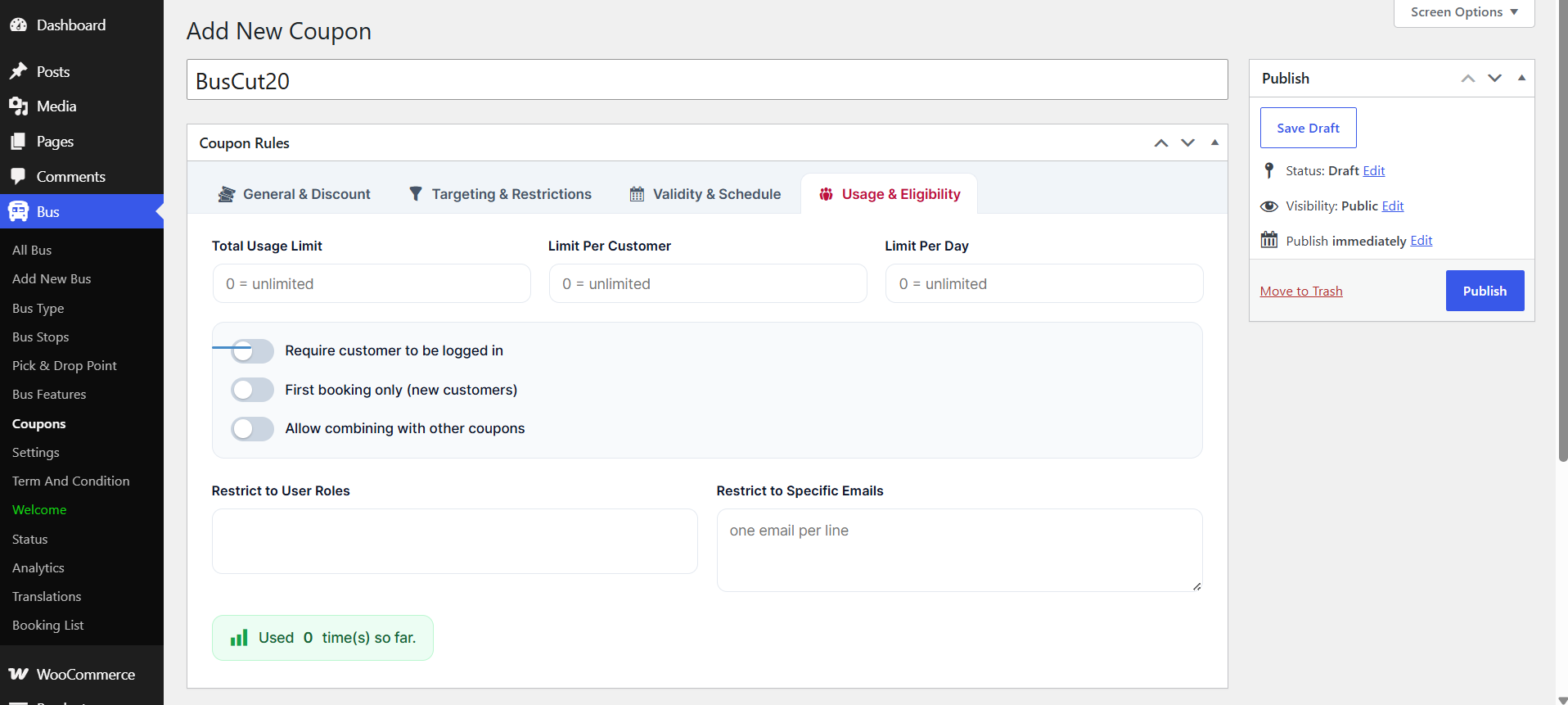
Usage & Eligibility
Manages redemption limits, user account requirements, and customer restrictions.
Redemption Limits
- Total Usage Limit — maximum number of times the coupon can be used overall (0 = unlimited)
- Limit Per Customer — how many times an individual user can redeem the code (0 = unlimited)
- Limit Per Day — maximum redemptions across the platform on any single day (0 = unlimited)
User Requirement Toggles
- Require customer to be logged in — enforces authentication before the coupon can be applied
- First booking only (new customers) — restricts the discount to first-time bookers
- Allow combining with other coupons — whether this promotion can be stacked with other active codes
Role & Email Restrictions
- Restrict to User Roles — limit coupon availability to specific WordPress user roles
- Restrict to Specific Emails — whitelist specific user email addresses (one per line)
- Usage Counter — live metrics (e.g. Used 0 time(s) so far)
Terms and Condition
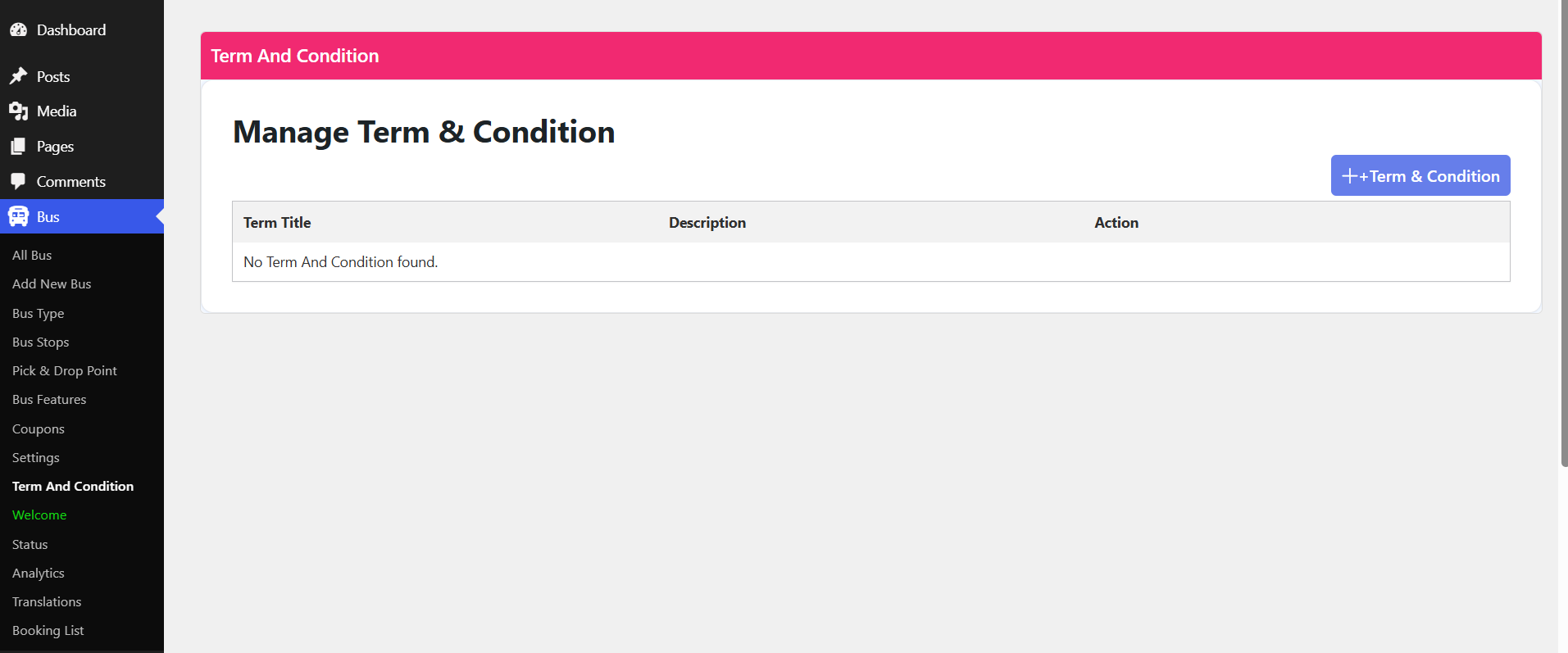
The Term And Condition screen allows administrators to establish and manage legal rules, policies, and ticketing agreements that passengers must agree to when booking.
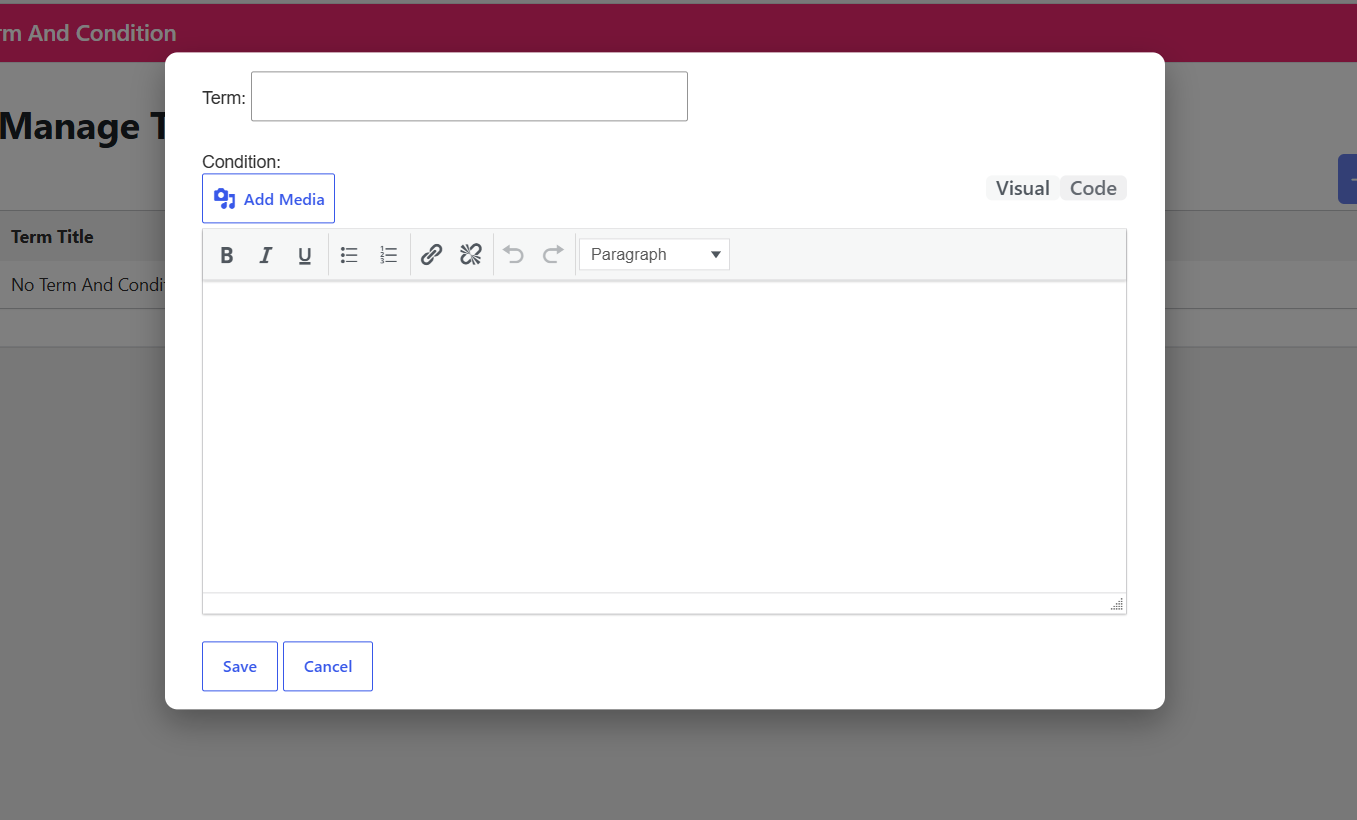
- Add Term & Condition Button — instantly create a new policy entry
Terms Data Table
| Column | Description |
|---|---|
| Term Title | Heading or name of the specific term or condition rule |
| Description | Detailed policy text or summary associated with the title |