Customer Booking Experience
The front-end service page is where customers view service details, explore sub-services, review staff options, and complete their bookings.
Front-End Service Page
Hero Header
- Service Category & Title — e.g. ServiceBooking → Facial Glow Service
- Ratings & Reviews Badge — cumulative customer ratings
- Feature Badges — top features set in the backend, with a View more! link
Navigation Tabs & Content
- Quick Navigation — Overview, FAQ, Details, Reviews
- Overview — main description plus stats cards: Bookings Completed, Slot Duration, Sub-Services Count, and an Operating Hours banner
- FAQ Accordion — service-specific questions and answers
- Details & Hours — in-depth description and specific daily booking hours
- Reviews — customer feedback with a Write A Review button
- Assigned Staff — team members available for this service
- Photo Gallery — carousel of gallery photos
Booking Widget (Sidebar)
- Category-Based Sub-Services — collapsible groups listing each option with duration, price, and a selection indicator
- Select Service & Confirm Booking — launches the time-slot picker and checkout modal
- Trust Badges — Secure Payment Protection, Free Rescheduling up to 24h
Booking Modal — Step 1: Service & Add-on Selection
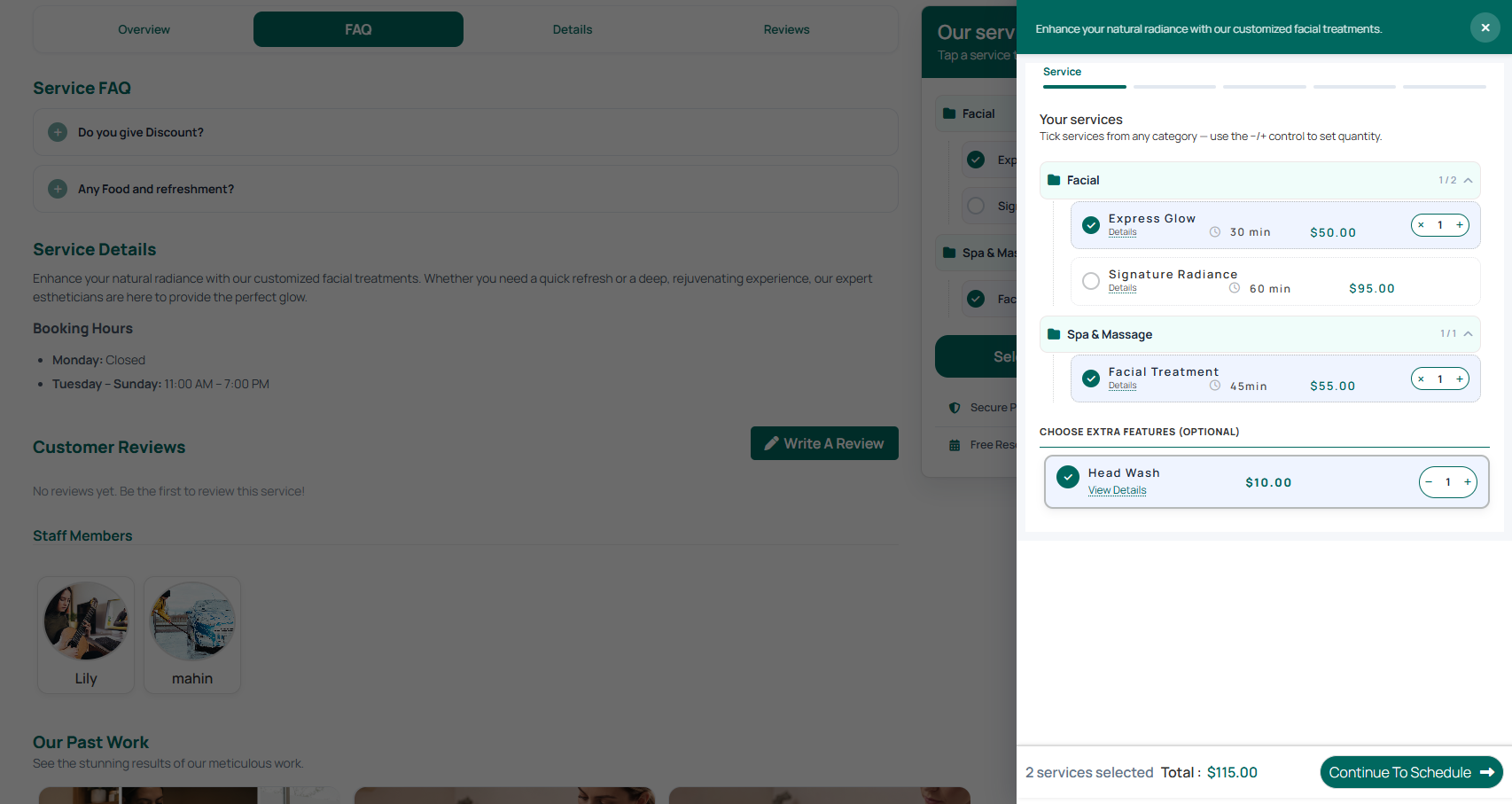
- Your Services — grouped by category with checkboxes, duration, base price, a Details link, and a quantity controller for multiple selections
- Choose Extra Features — optional paid add-ons with checkboxes, pricing, and quantity controls
- Sticky Footer — live selection counter and running total, with a Continue To Schedule button
Booking Modal — Step 2: Date & Time Selection
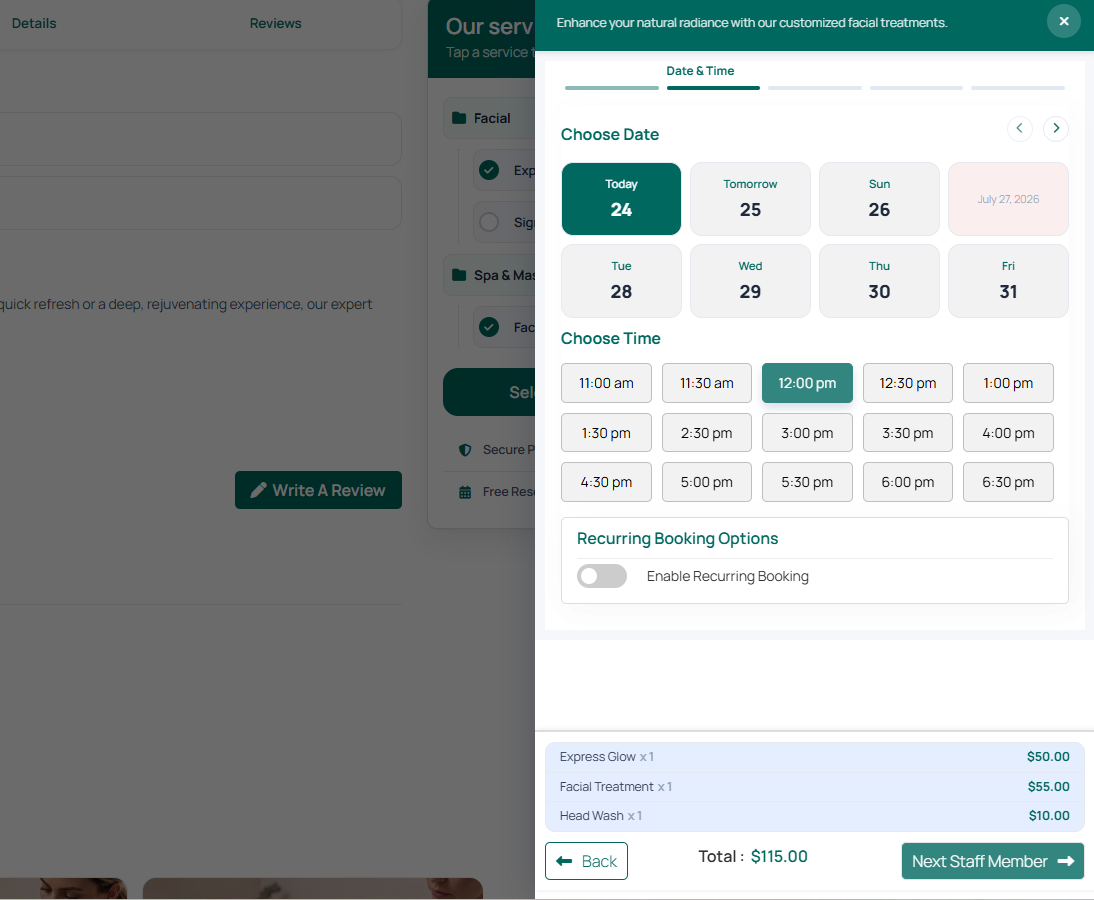
- Choose Date — quick date cards (Today, Tomorrow, and upcoming days) with
</>navigation; unavailable or fully booked dates are greyed out - Choose Time — dynamic time slot pills generated from the service's working hours and slot length; the selected slot highlights
- Recurring Booking — optional toggle to set up repeating appointments (Weekly, Bi-Weekly, Monthly) if enabled for the service
- Itemized Summary & Footer — recap of selected services and add-ons with the running total; ← Back returns to Step 1, Next Staff Member → advances to Step 3
Booking Modal — Step 3: Staff Selection
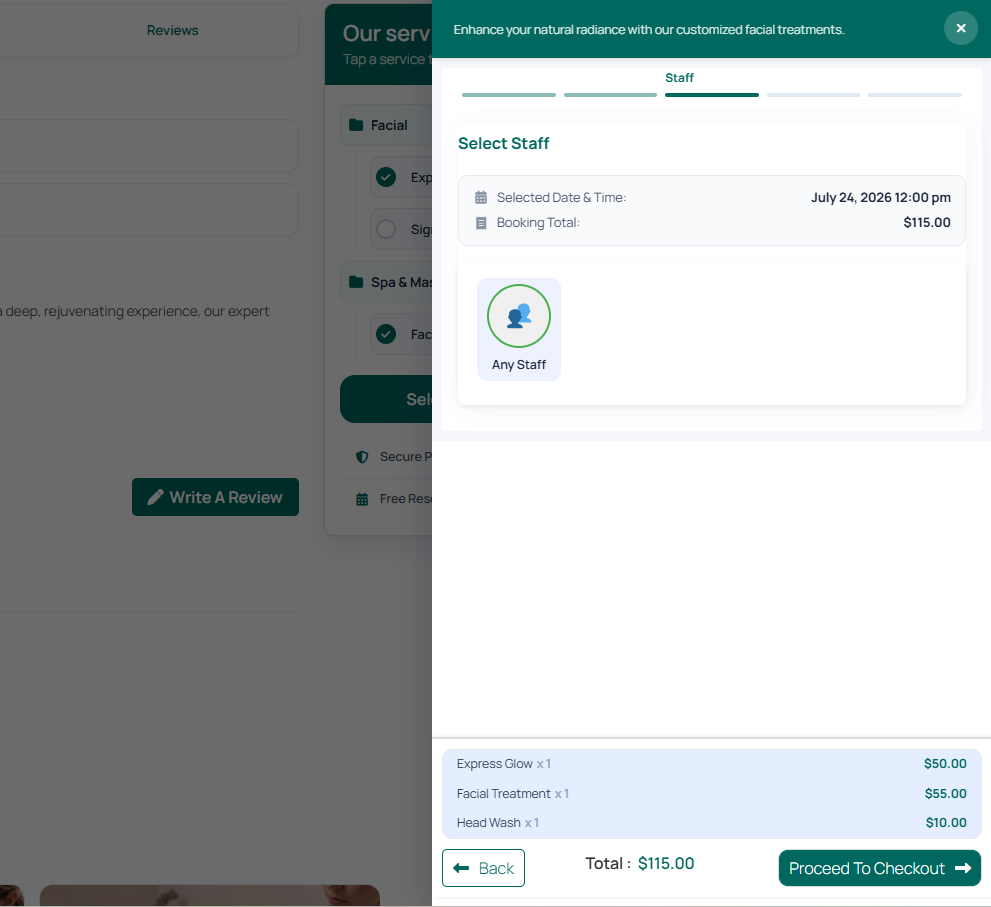
- Selection Summary Banner — confirms the reserved date/time and running total
- Any Staff — let the system auto-assign an available team member
- Individual Staff Cards — pick a specific team member if assigned to the service
- Itemized Summary & Footer — ← Back to Step 2, Proceed To Checkout → to Step 4
Booking Modal — Step 4: Checkout & Payment
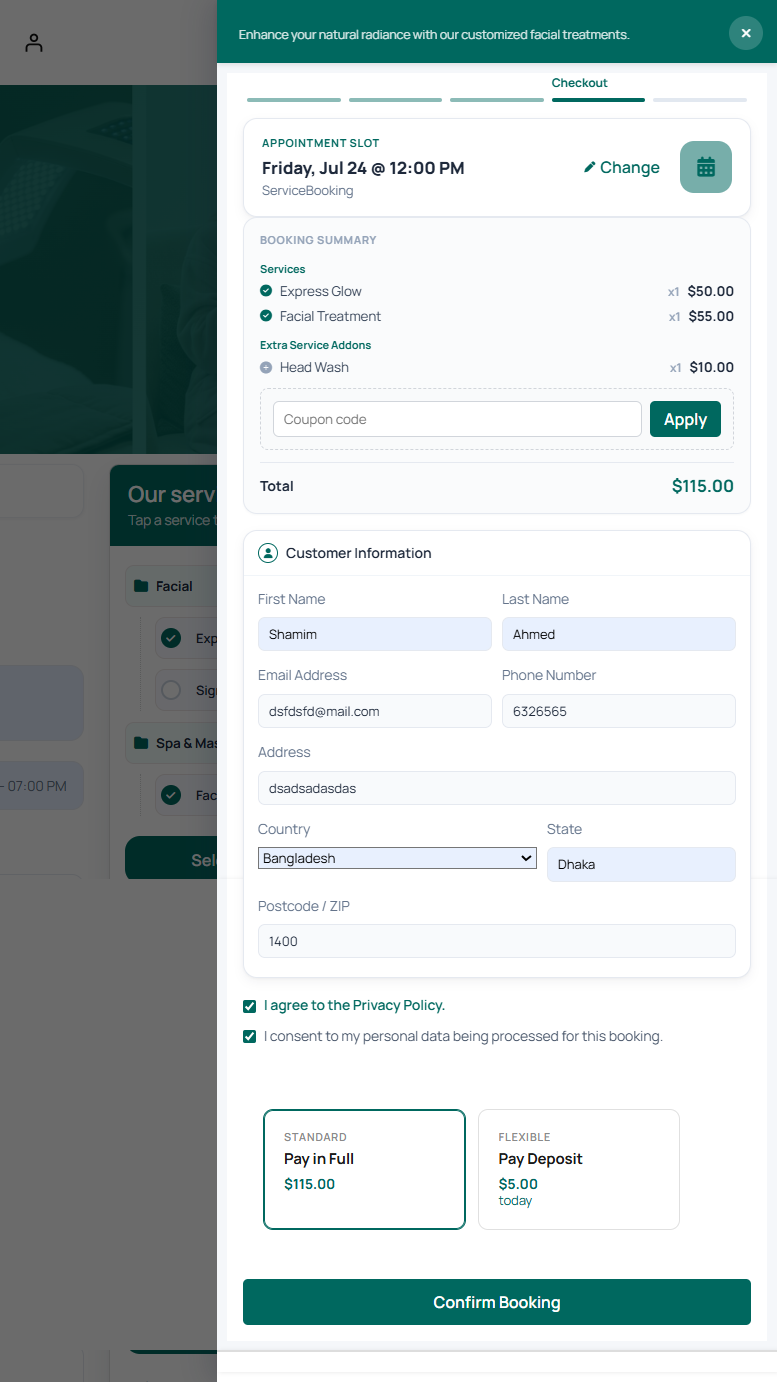
- Appointment Slot Card — confirmed day, date, and time, with a Change link to jump back
- Booking Summary & Coupon — itemized services and add-ons, a coupon field with Apply, and the live grand total
- Customer Information Form — First/Last Name, Email, Phone, Address, Country, State, Postcode
- Privacy & Data Consent — Privacy Policy agreement and data-processing consent checkboxes
- Payment Plan Options — Standard (pay in full) or Flexible (pay a deposit today, remainder due upon service delivery)
- Confirm Booking — submits the transaction and completes the reservation
Booking Confirmation
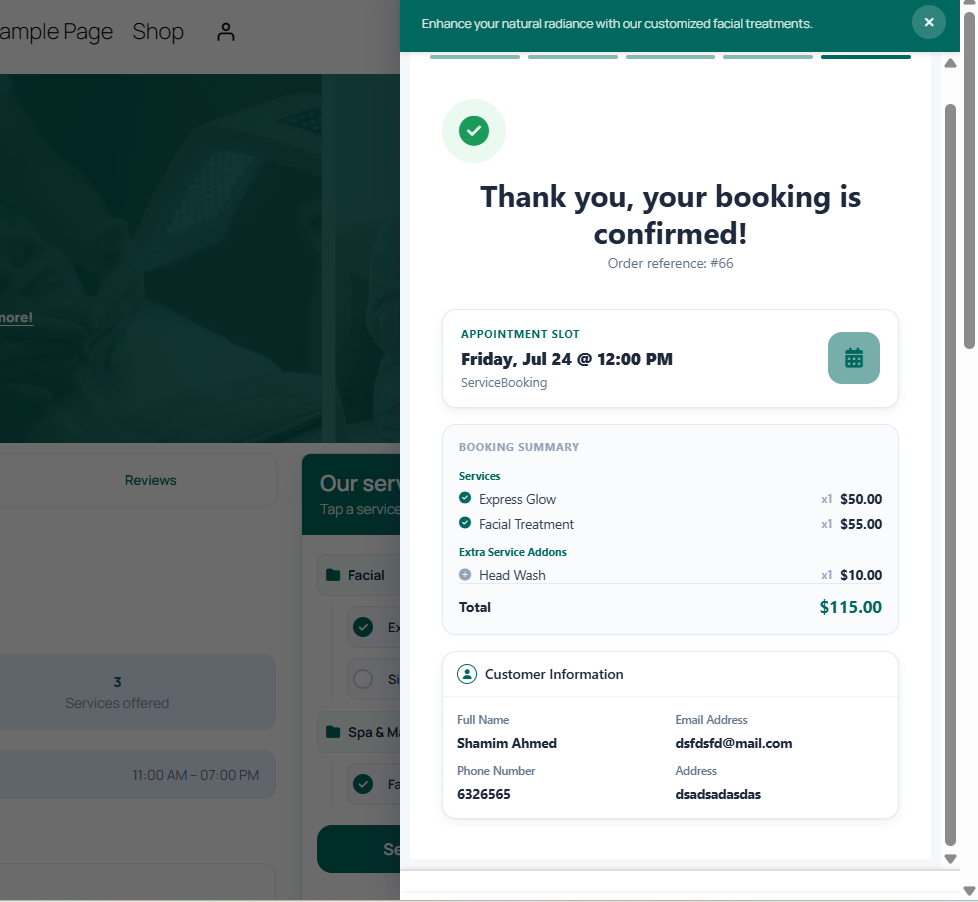
- Success Badge — "Thank you, your booking is confirmed!" with an order reference ID matching the admin backend
- Reserved Appointment Details — confirmed day, date, and time
- Confirmed Summary — reserved services, add-ons, and the grand total
- Customer Profile Recap — name, email (used for confirmation, calendar invites, and PDF ticket delivery), phone, and address